
Thermostat Says 'Wait' or 'Cool On' Is Flashing? Here's Why
November 18, 2026
TL;DR
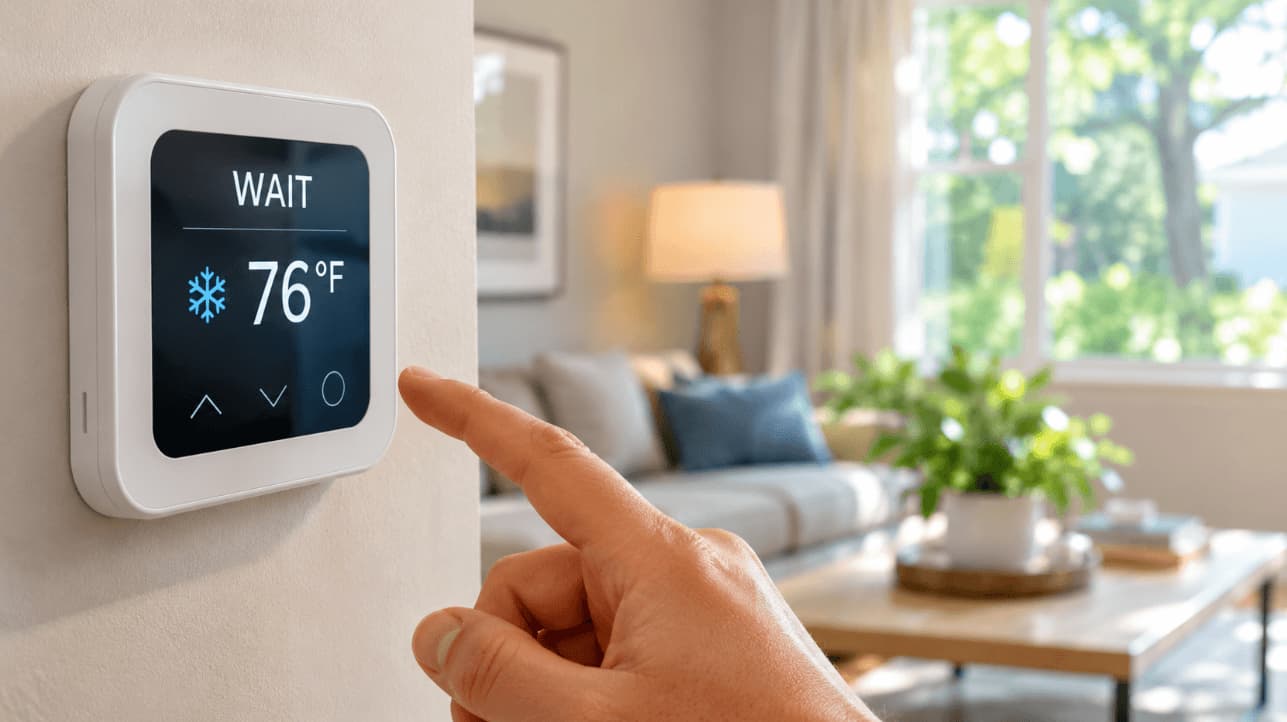
When your thermostat says "Wait," shows "Waiting for Equipment," or flashes "Cool On," it is running a built-in compressor protection timer. After the AC or heat pump shuts down or loses power, the timer holds it off for up to about five minutes so the compressor can restart without strain. If the message clears by itself, the system is working as designed. If it lasts past 10 minutes, check power and wiring, and if it keeps returning, check the air filter.
Key Takeaways
"Wait" is a safety feature, not an error. The thermostat is running a minimum-off timer that protects the compressor, according to manufacturer support guidance.
The 5-10 rule: give it 5 minutes, or 10 after a power blip. One manufacturer's troubleshooting guide also says to allow 5 minutes for a heat or cool call.
A message that won't clear usually means a power problem. Manufacturer guidance ties delays longer than five minutes to thermostat voltage or shorted wires.
A "Wait" that keeps coming back points to airflow. A clogged air filter is the first and easiest thing to check.
What Does "Wait" Mean on a Thermostat?
A "Wait" message means your thermostat has received the call for cooling but is holding the outdoor compressor off for a few minutes, because it shut down recently. When the timer runs out, the system starts automatically.
The compressor is the pump in your outdoor unit that moves refrigerant. For a few minutes after it stops, pressure stays high on one side and low on the other. Restarting against that imbalance strains the motor, which can trip a breaker or shorten its life. The delay gives the pressure time to even out.
Rapid off-and-on running is called short cycling, and this timer helps prevent it. One major thermostat maker calls this safeguard a "minimum off timer" in its support documentation, and its installation manual warns that restarting a compressor too soon after shutdown can damage it.
"Always wait at least three minutes after turning off your AC before starting it again. This helps balance pressure and prevents compressor damage."
- David Clark, EPA-certified HVAC technician
Why Is "Cool On" Flashing on My Thermostat?
If your Honeywell thermostat says "Wait" or flashes "Cool On," both mean the same thing. The thermostat wants to cool, and the compressor delay is still counting down, according to the manufacturer. Older non-smart models flash "Cool On" or "Heat On" instead of showing a word.
What Your Thermostat Shows During a Compressor Delay
Every message below means the compressor protection timer is running.
| What the screen shows | What it means | Normal delay length | If it won't clear |
|---|---|---|---|
| "Wait" or "Waiting for Equipment" | The compressor protection timer is counting down | Up to 5 minutes | Check thermostat batteries, power, and wiring |
| Flashing "Cool On" or "Heat On" | The thermostat is calling for cooling or heat, but the compressor is held until the timer ends; common on older non-smart models | Up to 5 minutes | A solid light means the compressor has started; if it keeps flashing, check power and wiring |
| "Delayed" or "Starts in," often with a countdown (for example, "Cooling delayed for 2:30") | A delay timer is running, or the thermostat is waiting for enough power to switch the system on | A few minutes | Often a power issue; a C wire or a manufacturer power adapter may be needed |
| No message; cooling simply starts a few minutes late | The delay runs in the background; some smart thermostats let an installer adjust the minimum off time, which is usually set to about five minutes | About 5 minutes | Ask an installer to check the minimum off-time setting and the wiring |
Sources: Honeywell Home support, Honeywell FocusPRO installation manual, and Google Nest Help.
How Long Should the Thermostat Delay Last Before the AC Turns On?
A normal delay lasts up to five minutes. The clock starts the moment the compressor shuts off, so if the system cycled off two minutes ago, you'll only wait about three more.
A few common actions start the clock over:
Switching from Cool to Off and back to Cool, because the compressor stops.
A power outage or a tripped breaker.
On some models, removing the thermostat from its wall plate or changing the batteries.
Tip: set the temperature once and walk away. Tapping the setpoint won't shorten the delay, and switching the system off can restart it.
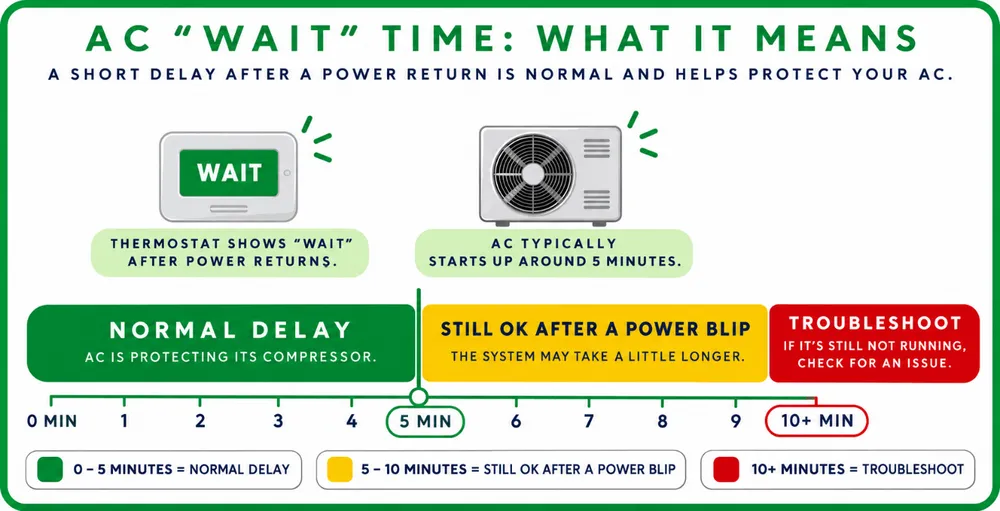
To decide whether to keep waiting or start troubleshooting, use this simple 5-10 rule:
| Time since you saw the message | What it means | What to do |
|---|---|---|
| 0–5 minutes | Normal compressor protection | Nothing. Let the timer run. |
| 5–10 minutes | Usually still normal, especially right after a power outage | Give it until the 10-minute mark. |
| Over 10 minutes | Something is keeping the system from starting | Work through the checks below. |
| Clears, then returns every few minutes | The system may be short cycling | Check your air filter first, then call a pro. |
Thermostat Says "Wait" and Won't Clear? 6 Checks to Try
If "Wait" is still showing after 10 minutes, the thermostat usually isn't getting steady power, or the equipment isn't answering its call. Work through these checks in order, and cut power at the breaker before opening any panel.
Confirm the settings. Make sure the thermostat is set to Cool and the setpoint is a few degrees below room temperature. Manufacturer troubleshooting guidance starts with this same check.
Replace the batteries. On battery-powered models, weak batteries can't deliver steady voltage. If the message lingers 10 minutes after fresh batteries, suspect voltage or wiring.
Check the breakers and disconnect. Your system draws power in two places: the indoor air handler or furnace, and the outdoor condenser. Reset any tripped breaker once. Then make sure the outdoor disconnect is on and the furnace access door is fully closed, since an open door switch cuts power.
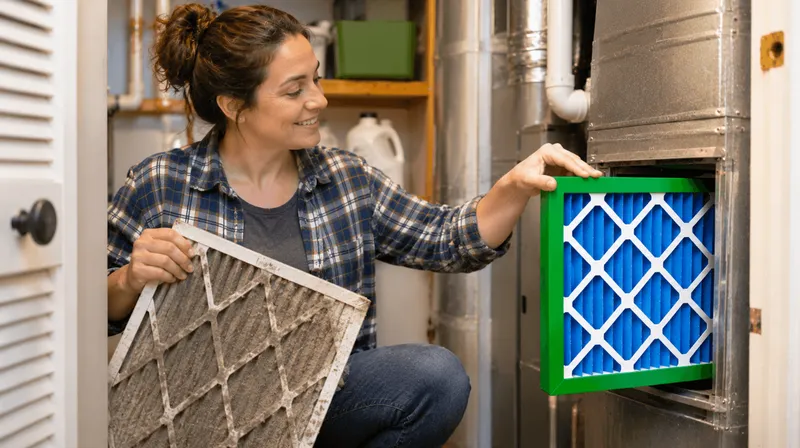
Look at your air filter. A clogged filter starves the indoor coil of airflow. The coil can then freeze until a safety control shuts the compressor off, and every shutdown restarts the timer. Try the light test: hold the filter up to a bulb, and if no light comes through the pleats, replace it. Learn the signs of a clogged air filter.
Check the condensate safety switch. Many systems have a float switch in the drain pan or drain line that cuts the cooling call when water backs up. A full pan or a tripped float usually means a clogged condensate drain line, which can also leave you with a wet air filter.
Reset the thermostat. Turn off power at the breaker for 30 seconds, then give the system a full five minutes after restoring it.
What to Note Before You Call a Technician
Share these five details with your technician:
How long the message has been showing, and whether it keeps coming back.
Your thermostat brand and model, often printed on the wall plate.
Whether the outdoor unit runs, hums, or stays silent.
Any recent power outage, battery change, or tripped breaker.
When you last changed the air filter.
When Should You Call an HVAC Technician?
Call a licensed HVAC technician if "Wait" is still showing after all six checks, if a breaker trips again after a reset, or if the outdoor unit hums but the fan or compressor won't start.
Manufacturer guidance recommends having a professional confirm that thermostat voltage is in range and that no wires are shorted. A technician can also test the capacitor and contactor or add a C wire. Some smart thermostat makers also sell a power adapter for homes without a C wire.
Many compressor failures trace back to small, preventable issues such as clogged filters and skipped maintenance.
Never bypass the compressor delay. It protects the most expensive part of your system.
Can a Dirty Air Filter Cause the Thermostat to Keep Saying "Wait"?
Yes. The filter doesn't trigger the message directly, but restricted airflow can make the system shut down early from a frozen coil or a high-pressure safety. Each of those shutdowns restarts the protection timer, so "Wait" keeps coming back.
On a typical day, a healthy cooling cycle runs about 15 to 20 minutes. If the system runs less than 10 minutes and keeps turning on and off, it is likely short cycling. If yours does, a fresh filter is the cheapest fix to try first. The U.S. Department of Energy estimates that replacing a dirty, clogged filter can cut an air conditioner's energy use by 5% to 15%. To learn more, see why HVAC systems short cycle and how dirty air filters damage your HVAC system.
One of the most common causes is simply a filter left in for months past its change date. ENERGY STAR recommends checking the filter monthly and changing it at least every three months.
"When a thermostat says 'Wait,' it is protecting the compressor, so give it five minutes before you worry. The message to pay attention to is the one that keeps coming back. That usually means the system is shutting down early, and the air filter is the first thing to check."
- Michelle Wan, Air Quality Writer
Supporting Statistics
88% of U.S. homes use air conditioning.
Two-thirds use central AC or a heat pump.
Source: EIA, 2020 RECS
53% of U.S. households use a programmable or smart thermostat.
Only about one-third of those households use the programmable or smart features.
Source: EIA, 2020 RECS overview
Nearly half of a home's energy use goes to heating and cooling.
Check filters monthly.
Change them at least every 3 months.
Source: ENERGY STAR
Frequently Asked Questions
How long does "Wait" last on a thermostat?
Up to five minutes is normal. Past 10 minutes, suspect a power or wiring problem.
Why does my thermostat say "Wait" after a power outage?
After an outage, the thermostat runs the full protection timer before restarting the compressor. A five-minute wait is normal.
Can I skip the thermostat "Wait" delay?
No. Most thermostats don't let homeowners skip the compressor delay. Some smart thermostats let an installer adjust it, but shortening it removes the compressor protection, so the default is the safer setting.
Does the compressor delay affect the furnace?
No. Gas and electric furnaces don't use a compressor, so the delay only applies to air conditioners and heat pumps. A heat pump can show the delay in both heating and cooling mode.
Glossary
Compressor: The pump in an outdoor AC or heat pump unit that pressurizes and circulates refrigerant.
Compressor protection (minimum off timer): A thermostat feature that keeps the compressor off for up to about five minutes after shutdown.
Short cycling: An HVAC system turning on and off in rapid, incomplete cycles of only a few minutes.
C wire (common wire): A thermostat wire that supplies continuous 24-volt power to a smart thermostat.
Float switch: A sensor in the AC drain pan or line that shuts off cooling when water backs up.
Evaporator coil: The indoor coil that absorbs heat from your home's air; it can freeze when airflow is restricted.
Heat pump: An HVAC system that uses a compressor to both heat and cool.