
How Does a Smart Thermostat Know When to Change Your Air Filter?
November 26, 2026
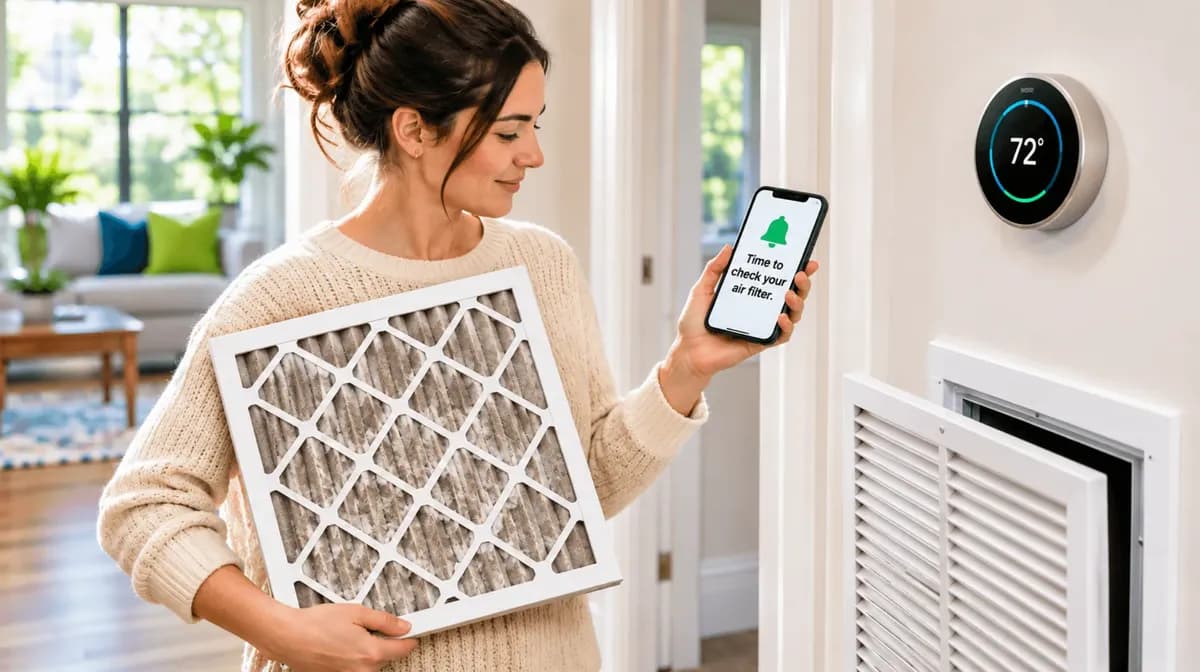
A smart thermostat can't see dust. It runs a timer and sends a filter alert after a set amount of system runtime or calendar time since your last reset.
Filter alerts come from one of three methods:
- Runtime: counts blower hours for heating, cooling, and fan-only use. Nest uses this by default.
- Calendar: counts days since your last reset, no matter how much the system ran.
- Pressure sensor: add-on hardware that measures airflow resistance across the filter.
Treat the first alert as a cue to check your filter, not an automatic swap. Take the quick quiz below to find your filter match.
It counts. It doesn't see dust.
3 ways filter alerts get triggered
Runtime
Counts blower hours
Sees dust: No
Calendar
Counts days since reset
Sees dust: No
Pressure sensor
Add-on · measures airflow resistance
Sees dust: Yes
Alert fires? Check the filter first.
Hold it to a light, then replace or adjust.
Find your filter match
Answer a few quick questions and we'll match you to the right filter, so your next reminder points to the right replacement.
Already know your size? Order the size printed on your old filter's frame, then reset your thermostat's reminder on install day. Custom sizes are available too.
TL;DR
How does a smart thermostat know when to change your air filter? It can’t see the filter. Many count blower hours (time the HVAC fan runs) since the last reset; others count calendar months. Neither measures dust, so alerts come early in clean homes and late with pets or a renovation. Filterbuy’s advice: treat the first alert as a cue to check the filter, then set the next interval by what you see.
Key Takeaways
A thermostat that tells you when to change the filter is running a timer. It can’t see dust.
There’s no standard threshold. Defaults vary by brand, and thermostats don’t ask about filter depth or MERV rating (how fine a filter’s media is).
Tune the reminder to the filter you actually use.
Filterbuy Auto Delivery closes the loop once your interval is tuned.
How Does a Smart Thermostat Know When to Change Your Air Filter?
A smart thermostat estimates when your air filter needs changing; it can’t detect dirt. Most models start a counter when you reset the reminder, add up blower hours for heating, cooling or fan-only circulation, and send an alert once the total hits a set threshold.
Google’s Nest Help explains that Nest thermostats base filter reminders on how often the system runs, so a mild summer can pass without one. Honeywell Home run-time setting counts fan time whenever there’s a call for forced-air heating, cooling or fan.
That makes sense, because a filter only works while air moves. The U.S. EPA’s Guide to Air Cleaners in the Home notes that HVAC filters clean air only while the system runs, and that’s usually less than 25% of the time during heating and cooling seasons.
At Filterbuy, we cut, pleat and frame filters to order in our own U.S. plants, in 1-, 2-, 4- and 5-inch depths, so we see this from the filter’s side. A thermostat runs the same countdown for all of them. It can’t know that a 4-inch filter holds more pleated media (the folded filter material) than a 1-inch one, or that you just adopted a dog.
“A filter reminder is a countdown, not a camera. When it goes off, pull the filter and look. Let what you see set your next reminder.” Michelle Wan, Brand Manager & Air Quality Writer, Filterbuy
Runtime vs. Calendar vs. Pressure Sensor: How Filter Tracking Compares
Smart thermostat filter tracking uses a calendar or a runtime counter, and add-on pressure sensors are a third option. Calendar reminders count days or months, while runtime-based filter reminders count blower hours since the last reset. Pressure sensors measure how hard the filter resists airflow. Of the three, only pressure sensing responds to real dust, but a tuned runtime reminder works well.
Nest uses runtime by default; ecobee, Honeywell Home, Sensi and Lennox support both. Smart AC sells an add-on pressure sensor. Per manufacturer documentation, November 2026. Settings vary by model.
Filterbuy isn’t affiliated with or endorsed by Google, ecobee, Resideo (Honeywell Home), Sensi, Lennox, Smart AC or Amazon.
How Accurate Are Smart Thermostat Filter Alerts?
Smart thermostat filter alert accuracy comes down to one thing: how long your system ran. For a 1-inch filter in an average home, that’s usually close enough. It runs late when pets, smoke or remodeling add dust, and early with a 4- or 5-inch filter.
Filterbuy guidance for runtime reminders unless noted. Calendar reminders ignore extra fan time.
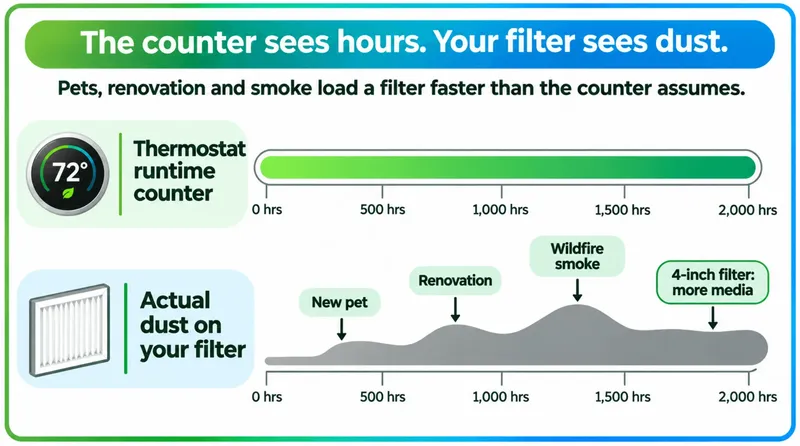
Thresholds aren’t standardized; the Sensi thermostat brand, for instance, cites about three months or 300 hours. Late alerts cost money, too: the Department of Energy says a clean filter can lower an air conditioner’s energy use by 5% to 15%. See also thermostat fan Auto vs. On.
“Thermostat makers set the default reminder. We know what’s inside the frame. Set the reminder to the filter you own.” Filterbuy Indoor Air Quality Team
How to Tune Your Thermostat’s Filter Reminder to Your Filter
Filterbuy’s tune-up treats the first few alerts as calibration. Start from the interval for your filter’s depth, use runtime tracking if you can, and inspect the filter whenever the alert fires. Adjust to what you find, and within a few cycles the alert will match your filter.
The five steps:
Start from your filter depth. Use Filterbuy’s air filter replacement schedule for the first setting: 1–3 months for 1-inch filters, 3–4 months for 2-inch, 6–9 months for 4-inch and 9–12 months for 5-inch.
Choose runtime if it’s available. Nest uses it by default; ecobee, Honeywell Home, Sensi and Lennox let you choose.
Reset the reminder on install day and date the frame. For menu steps and run-time-day conversions, see how to reset the filter reminder on your thermostat.
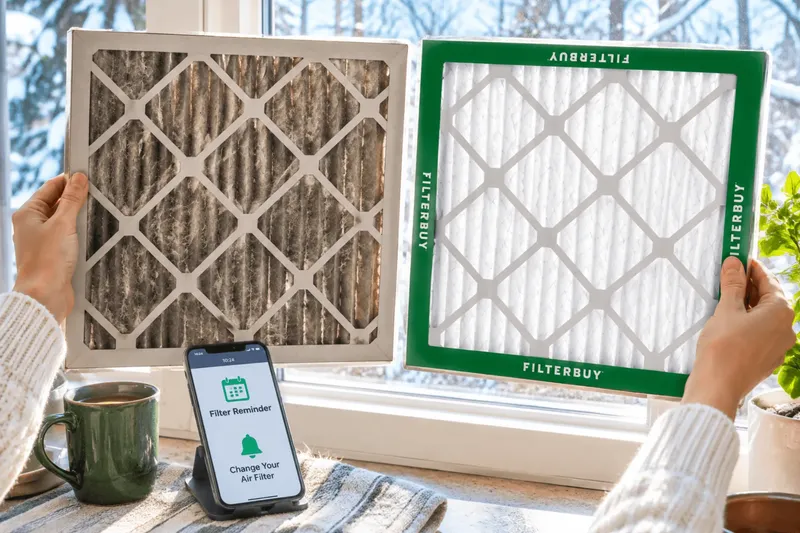
Inspect when the alert fires. Hold the used filter up to a light next to a new one.
Light barely passes, or media is gray and matted: Shorten the next interval by about a quarter.
Light, even dust: Keep the interval.
Looks almost new: Lengthen it by about a quarter, within the filter maker’s maximum.
Repeat for two cycles, then again when seasons change, since each season loads filters differently.
When Should You Trust Your Eyes Over the Alert?
Your eyes can catch what a runtime counter can’t. Replace the filter early if it looks gray and matted, dust is collecting around the registers, or your system takes longer to reach its setpoint (the temperature you set). Check it right away after a renovation, a new pet or a move-in.
If rooms are slow to warm or cool, see why heat or AC won’t reach the set temperature. During wildfire smoke, inspect the filter at least every 7 days. With pets, check monthly, as Filterbuy’s guide to furnace filters for homes with pets advises.
Pull it, too, if Nest’s System Health Monitor flags heating that ran longer than usual; Google notes a dirty filter can make a furnace overheat or AC coils ice up. More warning signs: the top clogged air filter symptoms and why air filters get dirty so fast.
Are Pressure Sensors More Accurate Than Thermostat Filter Reminders?
Yes. In a thermostat filter reminder vs. pressure sensor comparison, the sensor tracks filter loading more directly. A differential pressure sensor compares the air pressure on each side of the filter, and the gap widens as dust builds up. The catch is extra duct hardware, and readings need a clean-filter baseline and shift with blower speed.
Smart AC, an HVAC monitoring company, says its sensor compares static pressure (air resistance in the ducts) with the blower off and on, then blends pressure and runtime after the first filter change. Texas Instruments cautions that because motor speeds vary, a fixed factory threshold can send false alerts or none.
As a filter maker, Filterbuy’s view is that most homes need only a tuned reminder and a quick visual check. Sensors earn their place in remotely managed rentals and homes with several systems. Filterbuy HVAC Solutions technicians can also measure static pressure.
Can a Smart Thermostat Automatically Reorder Air Filters?
Some can set up an automatic air filter reorder through a partner service, though a filter subscription does the same job. Amazon’s Dash Replenishment lets connected thermostats report fan hours, letting customers track filter life and turn on smart reordering in the Alexa app. Honeywell joined in 2016, and ecobee launched filter delivery in 2020.
Filterbuy Auto Delivery runs on a schedule, which is why we pair it with a tuned reminder. It ships the right size at your interval, at 5% off, with a reminder three days before each shipment. When the box arrives, swap the filter and reset the thermostat that day so both schedules stay in step.
Do Mini Splits Get Smart Thermostat Filter Alerts?
Some do, though usually not through a wall thermostat. Smart thermostat compatibility with mini splits varies by equipment and control method, and many ductless systems use an app or a Wi-Fi infrared controller. For compatible controllers, see Filterbuy’s guide to smart thermostats for mini splits.
Supporting Statistics
About 12.8 million U.S. homes had a smart thermostat in 2020.
Nearly 12% of the 109.45 million homes with a thermostat.
Source: U.S. EIA, 2020 Residential Energy Consumption Survey
Heating and cooling use about half of home energy.
Space heating: 42% of residential energy.
Air conditioning: 9%.
MERV 16 filters can raise blower energy about 20%.
MERV 10–13 filters changed it by less than 5%.
Researchers recommend a filter loading indicator for MERV 16.
Source: Lawrence Berkeley National Laboratory (10 California homes)
Frequently Asked Questions
Does a Nest Thermostat Know When My Filter Is Dirty?
No. A Nest thermostat estimates reminders from how long your system has run and doesn’t measure dust. You can adjust the interval under Advanced configuration in the Google Home app.
Why Does My Thermostat Say Change Filter When the Filter Looks Clean?
Your thermostat counted time; it can’t see dirt. If light still passes through and dust is light, lengthen the next interval. Deep 4- and 5-inch filters often outlast default reminders.
Why Hasn’t My Smart Thermostat Sent a Filter Alert?
Reminders may be off; Google says Nest filter reminders aren’t on by default. On the Nest Thermostat and Nest Learning Thermostat (4th gen), alerts appear only in the Google Home app. A runtime counter moves slowly in mild weather. And the reminder may never have been reset after your last filter change.
Does the Fan Setting Affect My Filter Reminder?
It can. With the fan set to On or Circulate, the filter cleans air every hour the fan runs. Honeywell Home counts fan-only calls toward run-time days, and Sensi counts circulating-fan time, so those reminders arrive sooner. Calendar reminders don’t change.
Should I Use a Runtime or Calendar Filter Reminder?
Use runtime for most homes, because filters only load while the blower runs. Choose calendar if you want a fixed date that lines up with Filterbuy Auto Delivery.
Glossary
Filter reminder (filter alert): A thermostat notice estimating when a filter needs replacing.
Runtime-based filter reminder: A reminder that counts blower hours since reset.
Calendar reminder: A reminder that counts days or months since reset.
Filterbuy: A U.S. manufacturer of 1- to 5-inch HVAC air filters and the company behind Auto Delivery.
Differential pressure sensor: A device that measures the pressure difference across a filter.
Static pressure: Total airflow resistance in an HVAC system. See Filterbuy’s MERV air filter pressure drop chart.
MERV: Minimum Efficiency Reporting Value, the ASHRAE 52.2 rating (1–16) for how well a filter captures particles (NAFA guide). See which MERV rating to use.