
Thermostat Not Working? How to Find the Problem and Fix It
November 18, 2026
TL;DR
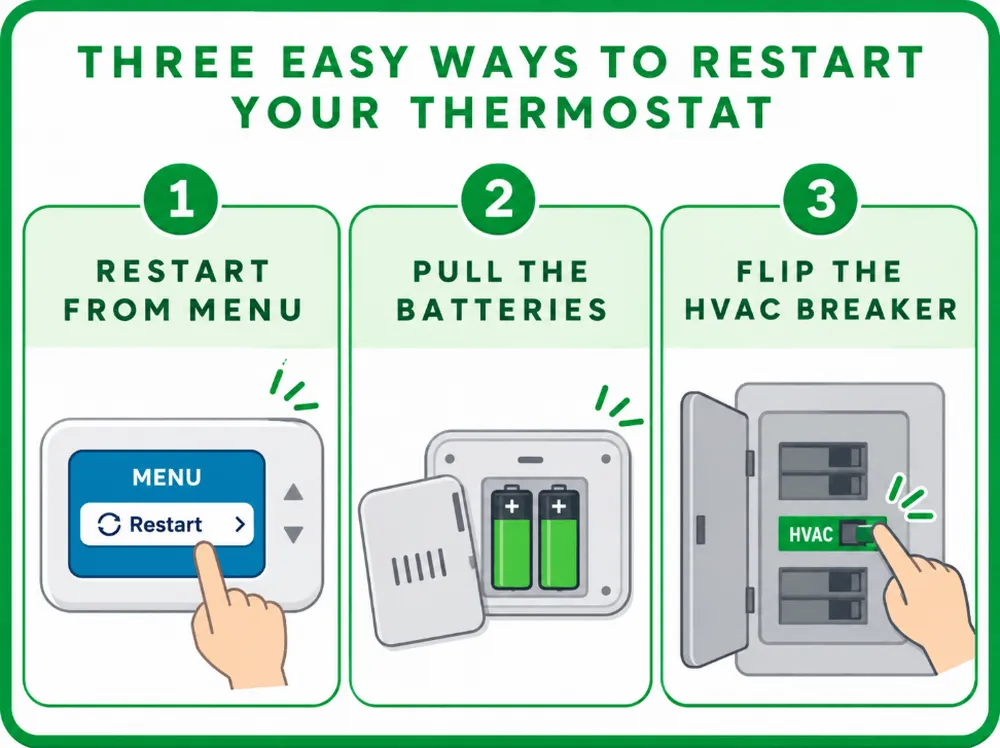
Most thermostat problems clear up with a soft reset: restart it from the menu, pull the batteries for two minutes, or switch the HVAC breaker off for about a minute. A factory reset (often labeled "Reset All" or "All Settings") wipes your schedule and setup, so save it for stubborn problems or a new owner. If the system still won't heat or cool afterward, the thermostat probably isn't the culprit. Before you blame the thermostat, check the air filter.
Key Takeaways
A soft reset fixes most frozen screens and post-outage glitches, and it keeps your settings.
A factory reset returns the thermostat to its out-of-the-box state, so plan to set it up again.
Weak airflow or a furnace that keeps shutting off points to the air filter or the equipment, which a reset won't fix.
Soft Reset vs. Factory Reset: Which One Do You Need?
A soft reset restarts the thermostat's software and leaves your settings alone. A factory reset erases everything and puts the thermostat back the way it shipped. If a soft reset is like rebooting your phone, a factory reset is like wiping it before you sell it. Think of the table below as a reset ladder: start on the lowest rung and only climb if the problem sticks around.
| Reset type | Soft reset (restart) | Power cycle | Factory reset |
|---|---|---|---|
| How you do it | Restart option in the menu, reset pinhole button, or battery pull | Turn the HVAC breaker or furnace switch off, then on | Menu option such as "Reset All" or "All Settings" |
| What you lose | Nothing, on most models | Usually nothing; some models lose time and day | Schedules, Wi-Fi, preferences, equipment setup |
| Best for | Frozen or unresponsive screen, app glitches | Blank screen on hardwired models, post-outage hiccups | Moving, selling, a new HVAC system, or problems a restart didn't fix |
| Time needed | 1–2 minutes | 2–5 minutes, plus compressor delay | Full setup again, plus rebuilding your schedule |
Before You Reset: A 60-Second Check
These five checks take about a minute and erase nothing.
Check the mode. Make sure it's set to Heat or Cool, not Off or Fan, with the target temperature above or below the room temperature as needed.
Check the batteries. A low-battery icon or a dim, flickering screen usually means they're running out.
Check the breaker and furnace switch. A tripped HVAC breaker cuts power to the whole system, and so does the furnace service switch, which looks like a light switch near the unit.
Check for a hold. A "Hold" or "Vacation" setting overrides your schedule until you cancel it.
Check the air filter. It's easy to overlook. A gray, clogged filter can make the system look broken even when the thermostat is fine.
How to Reset a Digital or Programmable Thermostat (Soft Reset)
The quickest way to reset a digital thermostat is to cut its power for a moment and let it reboot.
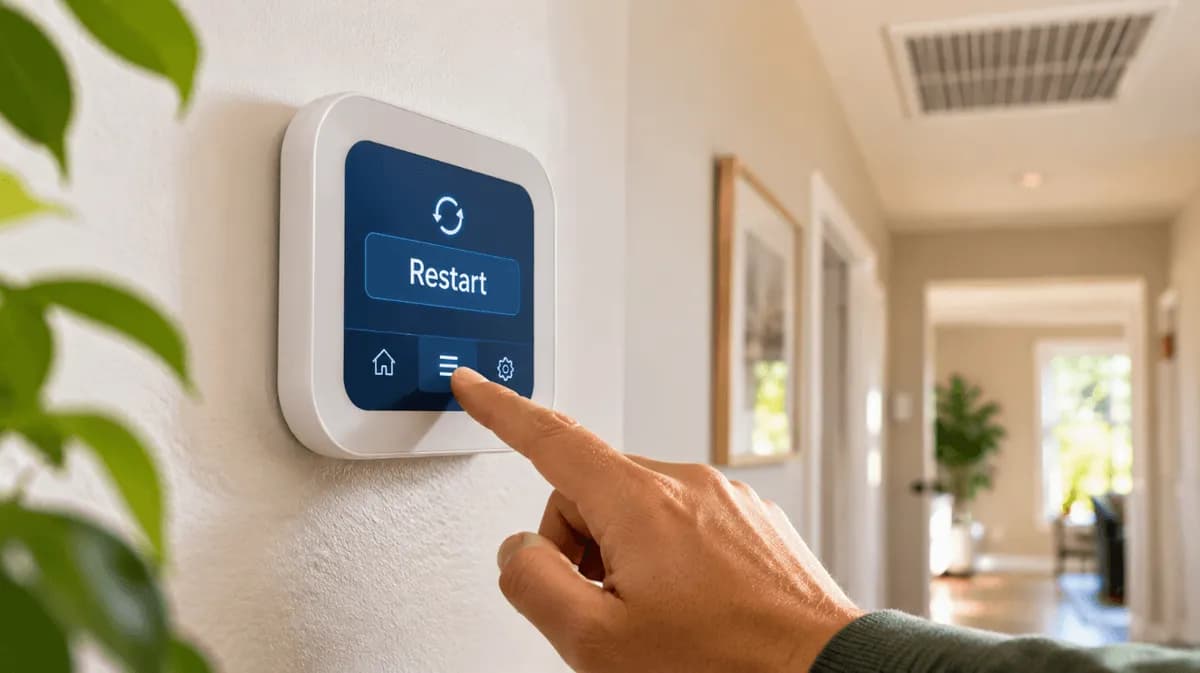
Method 1: Use the restart option or reset button. Most smart and newer touchscreen thermostats have a Restart option in the settings menu. Some older digital models have a small pinhole reset button; press it with a paperclip for about five seconds.
Method 2: Pull the batteries. If your thermostat runs on batteries:
Switch the thermostat to Off.
Remove the faceplate or battery door and take out the batteries.
Wait about two minutes.
Put in fresh batteries, matching the plus and minus markings.
Set the mode and temperature, then wait for the system to respond.
One manufacturer's programmable thermostat manual notes that this two-minute reset won't touch your menu settings or program.
Method 3: Power cycle at the breaker. If your thermostat is hardwired with no batteries:
Set the thermostat to Off.
Switch off the circuit breaker labeled furnace, air handler, or HVAC.
Wait 30 to 60 seconds, then switch it back on.
Set the thermostat back to Heat or Cool.
Pro tip: Seeing "Wait" or a flashing "Cool On" or "Heat On" after a reset? Don't reset again. Thermostat makers describe this as built-in compressor protection, and the delay can run up to five minutes under normal conditions.
How to Reset a Thermostat After a Power Outage
Once the power is back and steady, most thermostats recover on their own. Many programmable models keep your schedule in permanent memory, so after a long outage the time and day are usually all you'll need to fix.
Give the power a few minutes to settle. Flickering power can trip the system again.
Check the HVAC breaker. A surge when the power returns can trip it. If it has, reset it once.
Look at the thermostat. If the screen is blank, put in fresh batteries or power cycle it at the breaker.
Set the time, day, and mode, and check the schedule.
Wait about five minutes. Compressor protection briefly holds the outdoor unit off.
When to call a pro: If the breaker trips again right after you reset it, leave it off and call a licensed technician.
How to Factory Reset a Thermostat to Default Settings
A factory reset erases your schedules and preferences and returns the thermostat to the settings it shipped with. (Basic non-programmable thermostats usually don't have one.) First, save what you'll need later:
Photograph the wiring labels (R, C, W, Y, G and others) behind the faceplate.
Write down your equipment type, such as heat pump or gas furnace.
On smart models, remove the thermostat from your app account if the manufacturer recommends it.
Then work through the menu:
Open the main menu or settings screen.
Find the section called Settings, Preferences, or Installer/Advanced Setup.
Select Reset.
Choose the full reset, often labeled Reset All, All Settings, or Factory Reset, rather than a partial one like Schedule or Network.
Confirm and wait for the thermostat to restart into its setup screen.
Can't find it? Check your user guide, or search your model number plus "factory reset" on the manufacturer's support site.
After the reset: Walk through setup, then test both heating and cooling. Two settings deserve extra care. The first is equipment type, because the thermostat needs to know whether it's running a heat pump or a furnace. Manufacturer reset instructions advise saving your heating type before you start. The second is your schedule: U.S. Energy Information Administration (EIA) survey data shows most programmable thermostats in U.S. homes aren't set to run one.
Reset or Replace? Signs the Thermostat Itself Is Failing
Sometimes the thermostat is the problem. These signs after a reset point to the thermostat or its wiring rather than a glitch:
The screen stays blank or unresponsive after a two-minute battery pull. One manufacturer's troubleshooting guide says to replace the thermostat if this reset doesn't fix it.
Dashes (--) appear where the room temperature should be. The same guide treats that as a sign to replace it.
"Cool On" or "Wait" lasts longer than five minutes. Manufacturer support guidance says this can point to a voltage problem at the thermostat, which a pro should check.
Heat, cooling, or the fan won't shut off. This can point to a short in the wiring, so call an HVAC pro if a reset doesn't stop it.
When a Thermostat Reset Won't Fix the Problem
A reset only fixes software problems inside the thermostat. Many problems that look like thermostat failures are really airflow problems. The thermostat can call for heat or cooling all day, but it can't push air through a clogged filter.
| What you notice | Likely cause | What to do |
|---|---|---|
| Weak air from vents; rooms heat or cool slowly | Clogged air filter restricting airflow | Check the filter; replace it if it's gray or dusty |
| Furnace starts, then shuts off after a few minutes | Overheating trips the high-limit switch, often from a dirty filter | Replace the filter; call a pro if it keeps happening |
| Ice on refrigerant lines or indoor coil | Low airflow or low refrigerant | Turn cooling off, replace the filter, call a technician |
| Blank screen with fresh batteries and breaker on | Wiring, transformer, or control-board fuse issue | Call a licensed HVAC technician |
| Temperature reading seems wrong | Thermostat in sun, a draft, or near a heat source | Relocate or recalibrate per the manual |
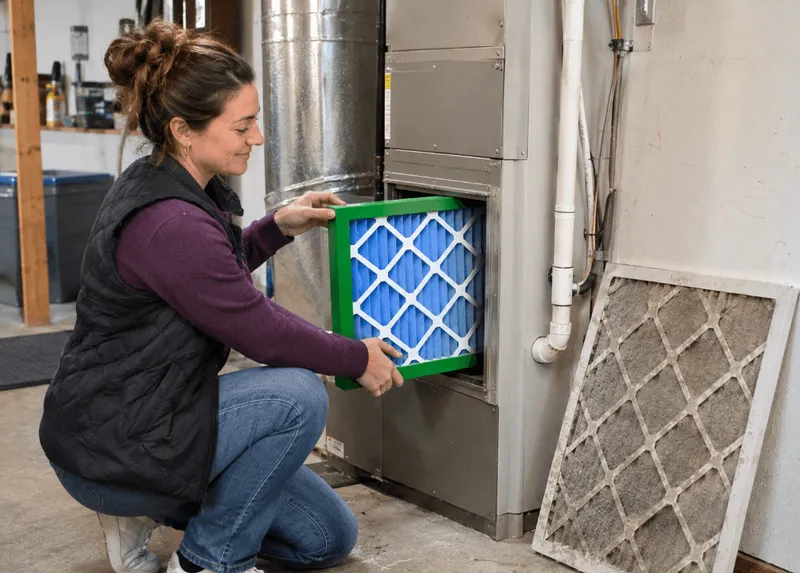
The air filter is the easiest fix on that list. The U.S. Department of Energy says replacing a dirty, clogged filter can lower an air conditioner's energy use by 5% to 15%. Central systems usually hold the filter along the return duct, behind a wall or ceiling grille or in the air handler itself. ENERGY STAR recommends checking it monthly and changing it at least every three months, and homes with pets or dusty conditions may need changes more often.
Tip: Make a habit of checking the filter any time you reset the thermostat. If you need a replacement, match the size printed on the old filter's frame.
“Before you reset anything, slide the filter out and look at it. It takes thirty seconds and tells you whether you have a thermostat glitch or an airflow problem.”
- Michelle Wan, Air Quality Writer
Supporting Statistics
11 hours: The average U.S. electricity customer went without power for 11 hours in 2024, nearly twice the prior decade's yearly average. Source: EIA
3 in 10: Of about 65 million U.S. homes with a programmable or smart thermostat, fewer than 20 million let it adjust the heat automatically. Source: EIA, 2020 RECS
8%: Heating and cooling make up almost half of a typical home's energy bill, and an ENERGY STAR certified smart thermostat can cut that cost by more than 8%, about $50 a year. Source: ENERGY STAR
Frequently Asked Questions
How Long After a Reset Will My AC or Heat Pump Turn On?
Expect a delay of up to about five minutes. Built-in compressor protection keeps the system from restarting too soon, so a flashing "Cool On" or "Wait" during that window is normal.
Does a Power Outage Reset a Thermostat?
Not to factory settings. An outage restarts most hardwired thermostats, and many programmable models keep your schedule in permanent memory. After a long outage, you may only need to reset the time and day.
Can I Factory Reset a Smart Thermostat From the App?
It depends on the brand. Many smart thermostats can only be factory reset from the thermostat's settings menu, and the app is where you remove the thermostat from your account beforehand.
Should I Factory Reset My Thermostat Before Moving?
Yes, if you're leaving it behind. A factory reset removes your personal information so the next owner can set the thermostat up as new. Remove it from your app account first.
Can a Reset Fix a Thermostat That Reads the Wrong Temperature?
Usually not. Start by checking where it's mounted, since sun, drafts, and nearby heat sources all throw off readings. Many digital thermostats also let you correct the display. Some models, for example, allow an adjustment of up to 5 degrees in the user menu.
Glossary
Soft reset: A restart of a thermostat's software that clears glitches without erasing saved settings.
Power cycle: Turning the thermostat's power off and back on, usually at the HVAC breaker.
Factory reset: A full reset that erases a thermostat's schedules, preferences, and network settings and restores its original default settings.
Compressor protection: A built-in thermostat delay of up to about five minutes that stops an AC or heat pump compressor from restarting too soon.
High-limit switch: A furnace safety device that shuts off the burners when the furnace gets too hot, often because of restricted airflow.
About the Author and Reviewer
Michelle Wan is an air quality writer who covers indoor air quality, air filtration, and HVAC maintenance (B.A., University of California, Santa Cruz). David Clark, a licensed HVAC technician, reviewed this guide for technical accuracy.