
How to Change Your Thermostat Batteries (and How Often)
November 20, 2026
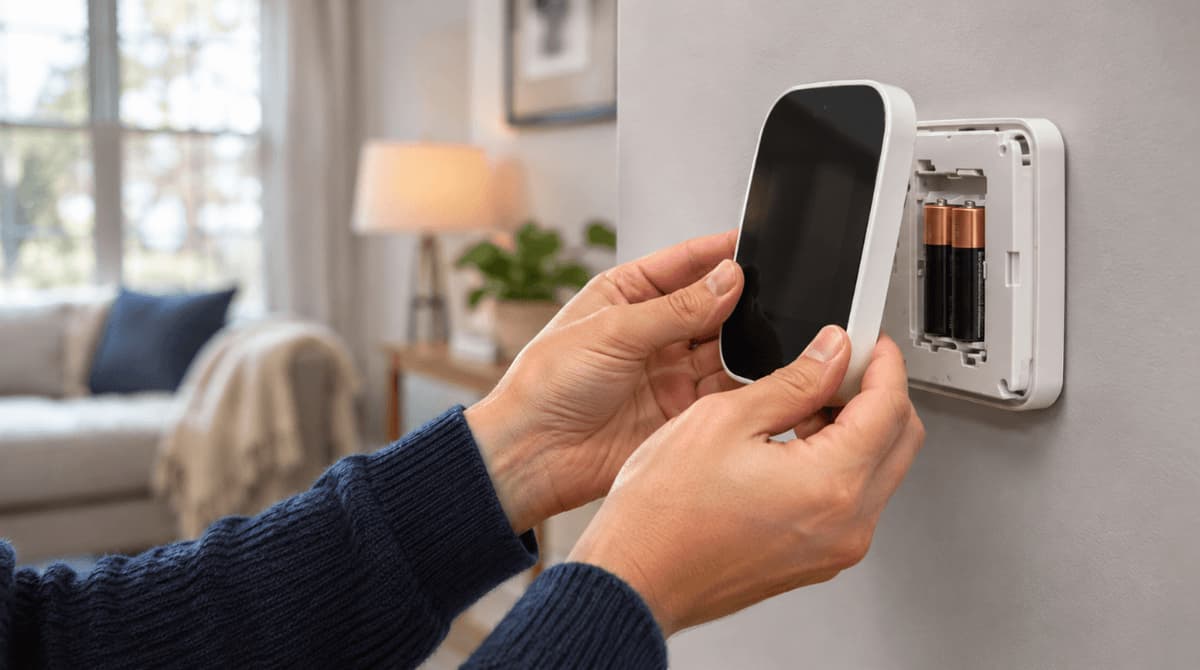
Changing thermostat batteries is a quick, no-tools job: pop the cover off, load new cells facing the right way, and click it back into place. Count the slots before you buy, because models take two or three AA or AAA cells, and some smart thermostats take none.
Dead batteries can stop a battery-only thermostat from calling for heat or cooling. Plan one swap a year, and pair it with your filter change so neither gets missed.
Due for both? Take the quick filter match quiz below, or shop air filters at Filterbuy.
A few minutes · no tools
Change your thermostat batteries in 4 steps
Optional: set the system to Off first so it doesn't cycle during the swap.
1 · REMOVE
Pull the faceplate straight toward you
2 · NOTE
Snap a photo of which way the old batteries face
3 · REPLACE
Swap all of them at once, matching + and −
4 · CONFIRM ✓
Snap it back on. Battery icon gone, clock correct
What does your thermostat take?
REPLACEABLE BATTERIES
Basic digital or programmable
2 AA or 2 AAA
Honeywell T6 Pro, FocusPRO
2 AA
Honeywell Pro 100
2 AAA
Honeywell RTH8500
3 AAA
Google Nest Thermostat (2020)
2 AAA backup
Sensi, Sensi Lite
2 AA or 2 AAA
NO BATTERIES TO SWAP
NEST LEARNING · NEST THERMOSTAT E
Built-in rechargeable battery. Charge it by USB
ECOBEE
Main unit runs on the C-wire. Room sensors use one coin cell each
SENSI TOUCH · TOUCH 2
Hardwired. A blank screen means check the HVAC breaker
WHEN TO REPLACE
Once a year
At a low-battery warning
Before a month or more away
Before the first cold snap or heat wave
Make it a habit: check the batteries every time you change your air filter.
Good to know: Use fresh alkaline batteries unless your manual says otherwise, and don't mix old with new. Many digital models keep your settings during the swap, so you may only need to reset the clock. You don't need to cut power to change batteries, but turn off HVAC power at the breaker before touching any thermostat wires.
Fresh batteries? Time for a fresh filter, too
Answer a few quick questions and we'll match you to the right filter for your home.
Already know your size?
TL;DR
Most battery-powered thermostats run on two AA or two AAA alkaline batteries. To change them, pull the faceplate off the wall plate, drop in fresh batteries that match the + and − marks, and snap it back on. Replace them once a year or when a low-battery warning appears, ideally on the day you change your air filter.
Key Takeaways
Honeywell Home recommends replacing thermostat batteries once a year, or before you leave home for more than a month, even if no warning shows.
The Google Nest Thermostat uses 2 AAA backup batteries, while Nest Learning models charge a built-in battery.
ecobee smart thermostats have no batteries in the main unit. They run on 24-volt HVAC power; their wireless room sensors use a coin cell.
Many digital thermostats, including Honeywell models, keep their settings during a battery swap; at most, the clock may need resetting.
Filterbuy pairs the battery check with the air filter change, turning two easy-to-forget jobs into one routine.
How to Change Your Thermostat Batteries
To change your thermostat batteries, pull the faceplate off the wall plate, swap in fresh alkaline batteries that match the + and − marks, and snap it back on. It takes a few minutes and usually no tools.
Check your battery type. Pop off the faceplate before you shop and count the slots, since some models, like Honeywell's RTH8500, take three. Pick up fresh, name-brand alkaline batteries unless the manual says otherwise, and check the package date.
Set the system to Off (optional). That keeps the system from cycling mid-swap.
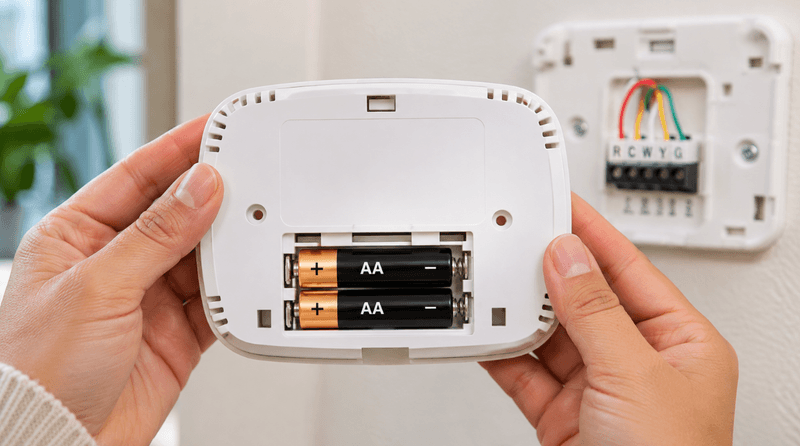
Remove the faceplate. Hold the thermostat with both hands and pull it straight toward you. On some Honeywell models, a battery holder slides out from the top or side instead, as shown in Honeywell Home's battery replacement guide.
Note the orientation and remove the old batteries. Snap a photo of which way the + and − ends face.
Insert the new batteries. Match the + and − marks, and replace every battery at once.
Reattach the faceplate. Line up the tabs and press until it clicks.
Confirm it's working. The battery icon should be gone and the clock right.
Dispose of the old batteries responsibly. The EPA's used household batteries guide recommends sending alkaline batteries to a battery recycler or checking with your local solid waste authority.
How Often Should You Change Thermostat Batteries?
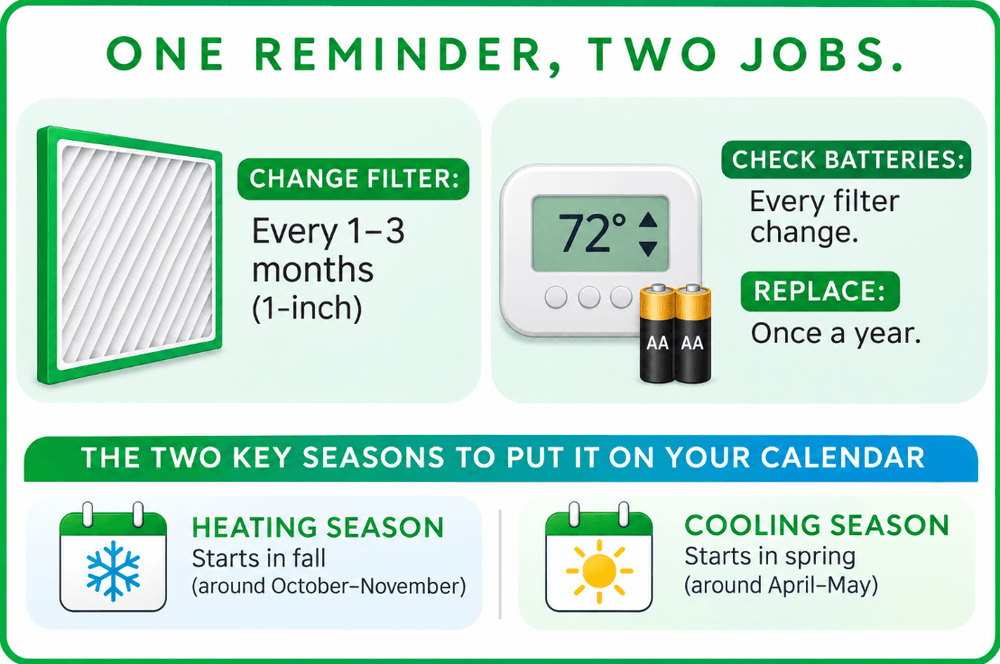
Change thermostat batteries once a year, as soon as a low-battery warning appears, or before you leave home for more than a month. That's the schedule Honeywell gives in its manuals, including the Honeywell Pro 100 Series manual.
This schedule pairs Filterbuy's recommended filter intervals with Honeywell's once-a-year battery guidance, so every filter change doubles as a battery check.
Homes with pets may need a fresh filter about every 2 months, and homes with allergies or asthma about every 6 weeks, according to Filterbuy's guide on how often to change your air filter. ENERGY STAR's maintenance checklist likewise recommends inspecting your filter monthly and checking your thermostat settings. New to the swap? Filterbuy's guide on how to change your furnace filter walks you through it.
Pro tip: With Filterbuy air filter auto-delivery, the box on your doorstep becomes the reminder, and every order is 5% off. Keep spare AA or AAA batteries in the drawer with the filters, and each delivery turns into a quick HVAC check.
What Batteries Does My Thermostat Use?
Most battery-powered thermostats use two AA or two AAA 1.5-volt alkaline batteries. Sizes can vary even within one brand: Honeywell's manuals show the Pro 100 series takes AAA cells, the FocusPRO takes AA, and the RTH8500 takes three AAA.
Does My Thermostat Need Batteries?
Your thermostat needs batteries only if it has a battery compartment. Some models run entirely on AA or AAA cells. Others draw 24-volt power from your HVAC system and keep batteries as outage backup for the display and clock. Fully hardwired models, like ecobee and Sensi Touch thermostats, skip batteries altogether.
The difference usually lies in the C-wire (common wire), which carries constant 24-volt power from your furnace or air handler. Without one, the batteries may do all the work, and a dead set can stop your heat or AC.
Do Smart Thermostats Need Batteries?
Some smart thermostats need batteries and some don't. The Google Nest Thermostat uses 2 AAA batteries as backup, while the Nest Learning Thermostat charges a built-in battery. ecobee thermostats have no battery in the main unit.
Nest Thermostat Battery
The Google Nest Thermostat (2020 model) takes 2 AAA alkaline batteries. Google's Nest Thermostat battery instructions call for high-quality 1.5V AAA alkaline batteries from a known manufacturer. To change them, pull the display off its base and swap the batteries on the back.
The Nest Learning Thermostat and Nest Thermostat E work differently: their built-in rechargeable battery can't be replaced, so a low-battery message means charging the display with a USB cable. According to Google's guide to charging a Nest thermostat by USB, recharging usually takes around 30 minutes, or up to 2 hours from fully drained.
ecobee Thermostat Battery
ecobee smart thermostats don't have a replaceable battery in the main unit. They rely on 24-volt power from a C-wire. For homes without one, ecobee includes its Power Extender Kit with most models, though the Smart Thermostat Essential and Lite sell it separately. The batteries you'll change on an ecobee system sit in its wireless room sensors, which take one coin cell each. Check the size printed on the old cell before you buy a replacement.
Will I Lose My Settings When I Change the Batteries?
Many digital thermostats keep their settings when you change the batteries. Many Honeywell manuals say settings live in non-volatile memory, so at most you may need to reset the clock and day if the batteries stay out longer than two minutes. On older programmable models, photograph your schedule screens first.
Thermostat Low Battery Warning: What It Means and What to Do
A thermostat low-battery warning means you have limited time, often weeks, before the thermostat stops working. On many Honeywell models, the warning appears roughly 60 days before the batteries run out, though the RTH8500 manual lists roughly 30.
This table matches common warning signs to their likely cause, using guidance from Honeywell, Sensi and Google:
In winter, a dead battery-only thermostat can mean frozen pipes while you're away. Add a battery check to your winter air filter routine.
"We make air filters, so we think about HVAC upkeep on a schedule. The thermostat battery is one of the smallest parts of that system and one of the easiest to forget, so we pair it with the filter change," says Michelle Wan, Brand Manager at Filterbuy.
Supporting Statistics
These U.S. government and nonprofit figures show what depends on a working thermostat.
52% of household energy goes to heating and cooling. That's the 2020 figure from the U.S. Energy Information Administration.
About 1 in 60 insured homes files a water damage or freezing claim each year. These claims averaged $15,400 from 2019 to 2023, according to the Insurance Information Institute.
ENERGY STAR certified smart thermostats save about 8% on heating and cooling bills, or about $50 a year. That's the average in ENERGY STAR's smart thermostat FAQ.
Frequently Asked Questions
Can I Use Rechargeable or Lithium Batteries in My Thermostat?
Stick with the type your manual lists, usually alkaline. Google and Honeywell both call for alkaline batteries, and the Nest Thermostat won't recharge AAA batteries.
Why Does My Thermostat Still Say Low Battery After I Replaced the Batteries?
Old or loosely seated batteries are the usual culprits. On a Nest Thermostat, the warning can also mean the C-wire isn't delivering enough power. If fresh batteries don't clear it, call an HVAC technician.
How Long Do Thermostat Batteries Last?
Plan on about a year. Honeywell recommends replacing them annually, even if no low-battery warning appears.
What Happens If My Thermostat Batteries Die?
A battery-only thermostat stops calling for heat or cooling, so your furnace or AC won't run until you put in fresh batteries.
Do I Need to Turn Off the Power to Change Thermostat Batteries?
No. Just never touch the thermostat wires unless the HVAC power is off at the breaker.
Glossary
C-wire (common wire): The thermostat wire that provides continuous 24-volt power from the HVAC system, often reducing or eliminating the need for batteries.
Coin-cell battery: A flat, round lithium battery, such as a CR2032, used in small devices like wireless thermostat sensors.
Faceplate and wall plate: The faceplate is the removable body with the display; the wall plate is the base that holds the wires.
Non-volatile memory: Built-in storage that keeps thermostat settings when power and batteries are removed.
Power Extender Kit (PEK): An ecobee adapter that supplies 24-volt power to the thermostat in homes without a C-wire.
Filterbuy: An American maker of HVAC air filters in more than 600 standard sizes plus custom sizes, sold one-time or through auto-delivery.
Sources
Google Nest Help: How to change Nest Thermostat batteries
Google Nest Help: Nest thermostat USB port
Honeywell Home: FocusPRO battery replacement
Honeywell Pro 100 Series manual: Battery replacement
ecobee: Power Extender Kit
ENERGY STAR: Heating and cooling maintenance checklist
U.S. Energy Information Administration: Energy use in homes
Insurance Information Institute: Facts + Statistics: Homeowners and renters insurance
ENERGY STAR: Smart thermostats FAQs
Honeywell RTH8500 manual: Battery replacement
U.S. EPA: Used household batteries
Sources for this guide: battery details come from the manufacturers' support pages and manuals (Google Nest, Honeywell Home, Sensi and ecobee), and filter intervals come from Filterbuy's published replacement guide.